What happens when a potential customer asks ChatGPT to recommend a service provider, compare products, or find a local business, and your brand does not appear in the answer?
That question gained new importance following OpenAI's announcement of Businesses in ChatGPT on 10 November 2026. Introduced in beta, the offering gives eligible organisations a way to claim their business profiles, manage information and access engagement insights through Business Hub. OpenAI has also introduced product feeds and Business Agents, giving businesses additional ways to share product information and interact with customers.
For brands, the update raises practical questions about how they appear in ChatGPT, which topics bring them into relevant responses, and whether those interactions lead to website visits and enquiries.
These questions make SEO and Generative Engine Optimisation (GEO) relevant to the discussion. Here's what the new features include, who can use them, and how businesses can respond.
What Does Businesses in ChatGPT Include?
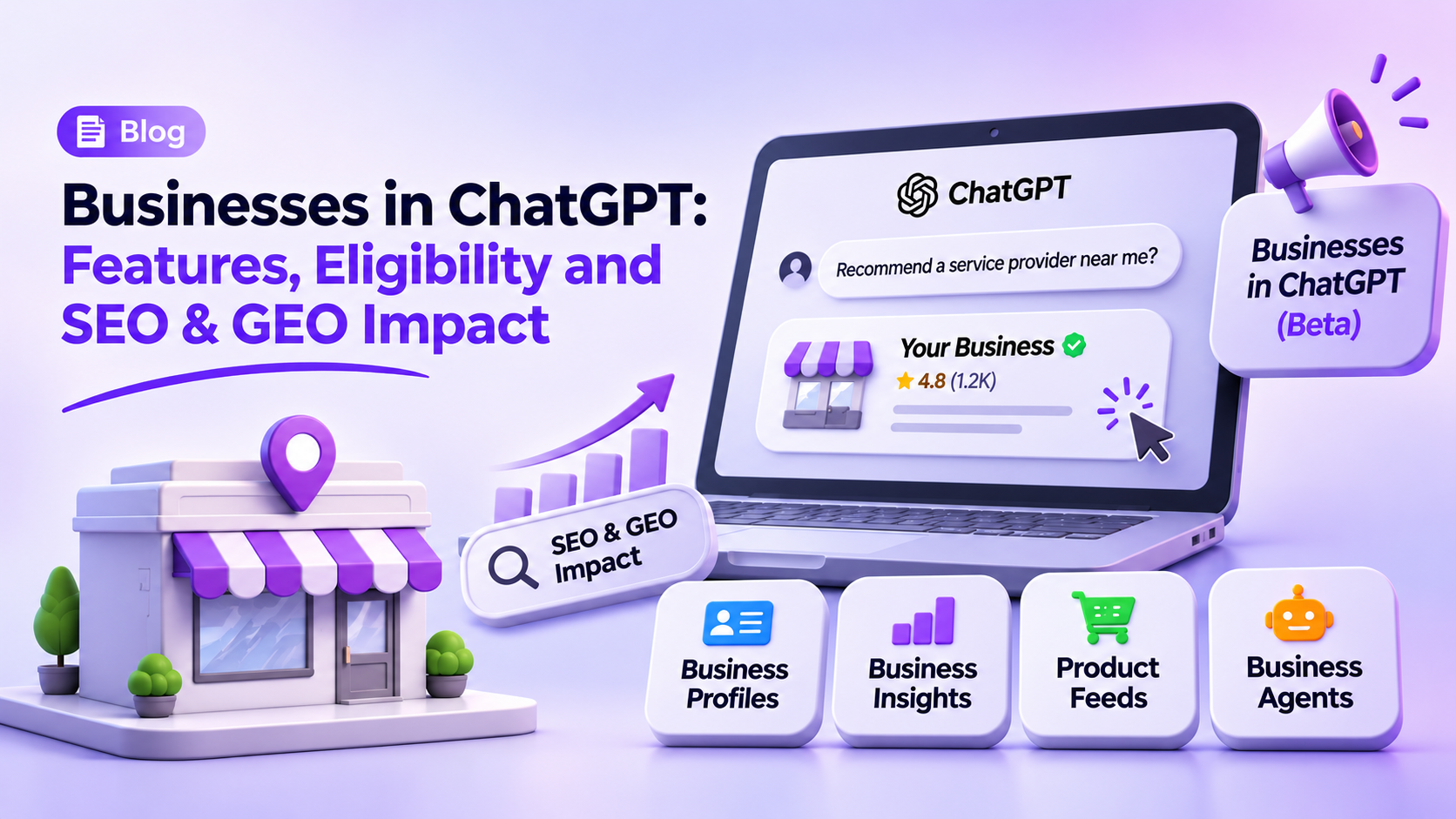
Businesses in ChatGPT is a set of tools that allows eligible organisations to manage their business information, understand how people discover them on ChatGPT and, where available, interact with potential customers through Business Agents.
The features are available through Business Hub and cover four main areas:
|
Feature
|
Primary Function
|
|
Business Profiles
|
Allows eligible businesses to claim, verify and manage their profile information.
|
|
Business Insights
|
Displays aggregated data on business mentions, website clicks and discovery topics.
|
|
Product Feeds
|
Allow eligible businesses to share structured product information, including prices and availability.
|
|
Business Agents
|
Enable eligible organisations to create and publish AI agents that answer customer questions.
|
Businesses can manage their profiles and view Insights without publishing a Business Agent. Product feeds are particularly useful for retailers, while access to Business Agents depends on the business's location and industry.
Business Hub Features: Profiles, Insights, Product Feeds and Agents
1. Business Profiles: Claiming and Verifying Your Listing
Business Hub lets authorised representatives claim an existing business profile or initiate a new listing where this option is available.
Profile availability depends on the business's location and category. Eligible online businesses may be able to add a new profile, while local stores and restaurants can currently claim only an existing US listing.
After the claim is approved, the authorised representative must complete identity verification through Persona. Once verification is complete, the business can manage information such as:
- Website URL and business description
- Product or service category
- Official logo and cover image
- Delivery and return policies
Claiming a profile does not automatically provide a verified badge or guarantee visibility in ChatGPT. OpenAI may use information from other sources when displaying business details, so a business cannot control every detail that appears in ChatGPT responses.
2. Business Insights: Understanding Brand Discovery
Business Insights can help SEO and GEO teams understand when a business appears in ChatGPT and how users interact with those results.
The hub reports activity from the previous 28 days, including:
- Mentions: For online businesses, a mention is counted when ChatGPT references the business website, rather than simply mentioning the brand name. For local businesses, it is counted when ChatGPT displays a result for that location, even if the user does not open the listing or visit the website.
- Website Clicks: Shows how often users click through to the business website.
- Discovery Topics: Shows common themes in ChatGPT answers that mention or cite the business.
However, these insights have limitations. Businesses do not receive individual user prompts or private chat transcripts, including conversations with their Business Agents. Discovery topics show recurring themes, not the exact questions users ask or what they intend to purchase.
A blank metric does not necessarily mean zero activity. It may indicate that the reporting threshold has not been reached, data is still being collected, or reporting is unavailable.
3. Product Feeds: Keeping Product Information Updated
Product feeds allow retailers to share structured information about their products, including titles, descriptions, prices and availability. Businesses can connect a supported Shopify feed or upload a CSV file that meets OpenAI's specifications.
ChatGPT can use this information when people explore and compare products. Keeping product details current can help ensure that the information available to the platform reflects the retailer's latest catalogue. However, connecting a feed does not guarantee that a product will appear in recommendations.
4. Business Agents: A New Way to Interact with Customers
Business Agents allow customers to ask questions about a company's products, services and policies. Once an eligible business has claimed its profile and completed verification, it can build, test and publish an agent using the information it provides. Customers can then choose to start a clearly labelled conversation with that agent.
Who Can Use Business Agents?
Business Agents are currently available to eligible ecommerce and online service businesses in the United States that have a website and meet OpenAI's industry and platform requirements. Claiming a business profile does not automatically make it eligible to publish an agent.
What Business Agents Can and Cannot Do
In the current experience, Business Agents can explain products and policies and direct customers to the business website. They cannot independently complete purchases, make bookings or check customer orders.
Businesses must also follow OpenAI's rules on user consent and data handling. Agents cannot collect unnecessary sensitive information or submit forms and transactions on a user's behalf without the required authorisation.
Does Claiming a Profile Improve ChatGPT Visibility?
Claiming a Business Hub profile does not guarantee that ChatGPT will recommend a business more frequently or improve its visibility in independent responses.
It allows eligible organisations to manage their business information, complete verification and access engagement insights. ChatGPT may also use information from other sources, so changes to a profile will not necessarily appear in every response immediately.
Think of profile claiming as a way to manage and maintain your business information, rather than a shortcut to better rankings or recommendations.
What the Update Means for SEO and GEO
Businesses in ChatGPT adds another source of information about how brands appear on the platform. To understand its relevance, it helps to distinguish between SEO and GEO:
- SEO (Search Engine Optimisation): Focuses on improving a website's visibility in traditional search engine results.
- GEO (Generative Engine Optimisation): Commonly used to describe efforts to improve how a brand's information is discovered, understood and referenced in AI-generated answers.
The new offering does not replace either discipline. Instead, it gives businesses additional information and tools to assess their presence on ChatGPT.
What Businesses Should Watch
- Brand Visibility: Teams can examine when their business appears in ChatGPT results and which themes are associated with it.
- Website Traffic: Click data helps businesses understand whether ChatGPT sends visitors to their websites.
- Content Opportunities: Discovery topics can inform content planning without treating them as exact customer queries.
- Product Discovery: Accurate product feeds give eligible retailers another way to provide current product information.
- Customer Engagement: Business Agents create an optional route for eligible businesses to answer customer questions directly.
For SEO and GEO teams, these insights can inform content and measurement decisions. They do not replace the work involved in maintaining a useful website, publishing accurate information and building visibility across search platforms.
How Should Businesses Measure AI Search Performance?
Brand mentions can show whether a business appears in ChatGPT responses, but they do not tell the whole story. Businesses also need to understand whether users click through to their websites, make enquiries or eventually convert.
This means looking at Business Hub insights alongside website analytics and lead data.
|
Metric Category
|
What It Measures
|
Strategic Value
|
|
ChatGPT Mentions
|
How often the business appears in ChatGPT, as defined by Business Hub
|
Helps monitor brand visibility on the platform
|
|
Discovery Topics
|
Common themes in ChatGPT answers that mention or cite the business
|
Helps identify potential content opportunities
|
|
Website Clicks
|
Clicks from ChatGPT to the business website
|
Shows how often users visit the website through these clicks
|
|
AI Referral Sessions
|
Website sessions attributed to AI platforms in analytics tools
|
Helps track traffic from ChatGPT and other AI platforms
|
|
Enquiries and Conversions
|
Leads and sales associated with AI referral traffic
|
Helps assess the commercial contribution of AI-driven discovery
|
Note: Business Hub reports activity within ChatGPT, while website analytics tools measure visits and subsequent actions on a business's website. These metrics should be analysed together, but they are not directly interchangeable and do not provide a complete attribution model on their own.
Can Businesses in India Claim a ChatGPT Profile?
Online businesses in India may be eligible to claim a ChatGPT profile, depending on their business category and whether they meet OpenAI's verification requirements. Local stores and restaurants can currently claim only an existing US listing. Business Agents have separate eligibility conditions and are currently limited to eligible ecommerce and online service businesses in the United States.
Businesses that cannot access a particular feature can still review their website information, improve relevant content and monitor referral traffic from AI platforms. Access to individual Business Hub features should be checked separately as OpenAI expands availability.
How GroCat Approaches SEO and GEO for Measurable Growth
At GroCat, we look at AI search visibility alongside a client's existing SEO and content performance. Appearing in a ChatGPT response can introduce a brand to potential customers, but we also want to understand what happens after that discovery. Are people visiting the website? Are they making enquiries? Is AI referral traffic contributing to leads?
Our work combines SEO, GEO, content strategy and performance measurement:
- Discovery and Audit: We review the client's existing search performance, AI referral traffic and website content to identify gaps in visibility and information.
- Content and Website Improvements: We identify topics that need better coverage, strengthen relevant pages and improve how clearly the website communicates the brand's expertise.
- Performance Measurement: We track organic traffic, AI referral sessions, enquiries and conversions to understand whether improvements in visibility are contributing to business results.
Our GEO Work: Results from an EdTech Client
Our work with an EdTech client provides an example of how a GEO programme can contribute to growth in AI-driven discovery. GroCat's published case study reports the following results:
|
Performance Metric
|
Reported Growth
|
|
ChatGPT Sessions
|
+337% (over 12 months)
|
|
All AI Sessions
|
+118%
|
|
AI-Sourced Leads
|
+300%
|
Note: These are GroCat-reported results from a broader GEO programme focused on structuring content for retrieval by AI search. They were not generated by OpenAI Business Hub, which was announced in November 2026.
The results also show why we look beyond brand mentions. Website sessions and AI-sourced leads help us understand whether improved discovery is bringing potential customers to the business.
A Practical Business Hub Action Plan for Brands and Agencies
Businesses and agencies can follow these steps before using Business Hub with clients:
- Check Eligibility: Review each business's location, category and available Business Hub features.
- Arrange Profile Access: Confirm that the client owns the business or has authorised the agency to manage it. The business administrator can invite agency team members through Business Hub. Each person should use their own ChatGPT account.
- Check Workspace Requirements: If a business was claimed within a ChatGPT workspace, invited agency members may need to belong to that workspace. Each brand and its locations must also be managed separately, as centralised management across a parent organisation is not currently available.
- Check Business Information: Review descriptions, categories, website details, product information and policies for accuracy.
- Review Available Insights: Track mentions, clicks and discovery topics. Remember that a blank metric may indicate reporting limits rather than zero activity.
- Set Up Traffic Tracking: Configure analytics to identify ChatGPT and other AI referral sources. Track sessions, enquiries and conversions separately. Use UTM parameters for campaigns or links your business controls.